Every bill and subscription in one place — the real yearly total, trials caught before they convert, and exactly what's left before payday.
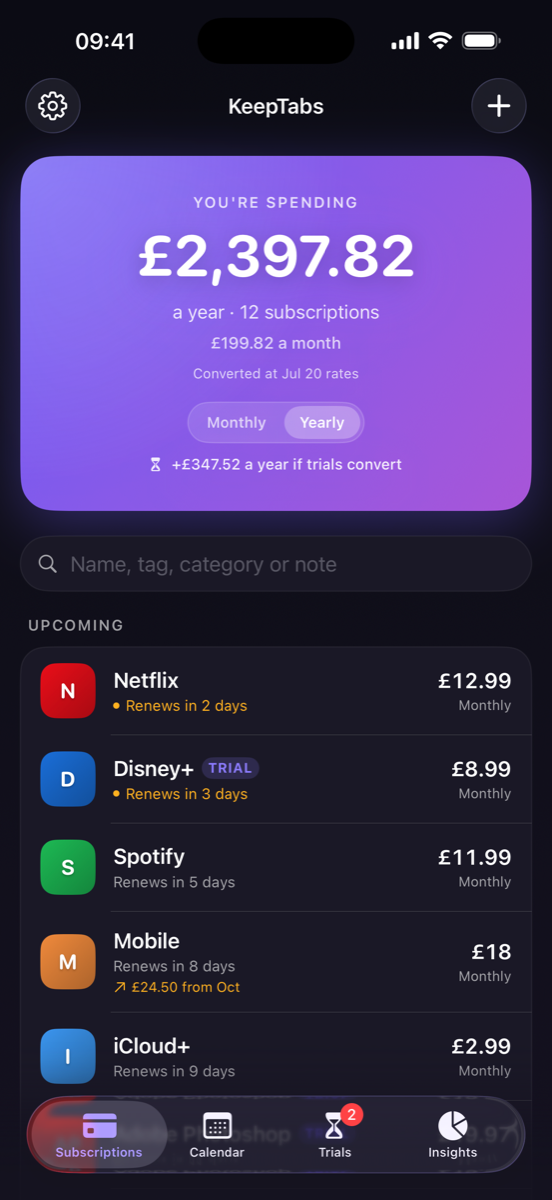
The average person underestimates what leaves their account each month. KeepTabs adds it all up and shows you one honest number.
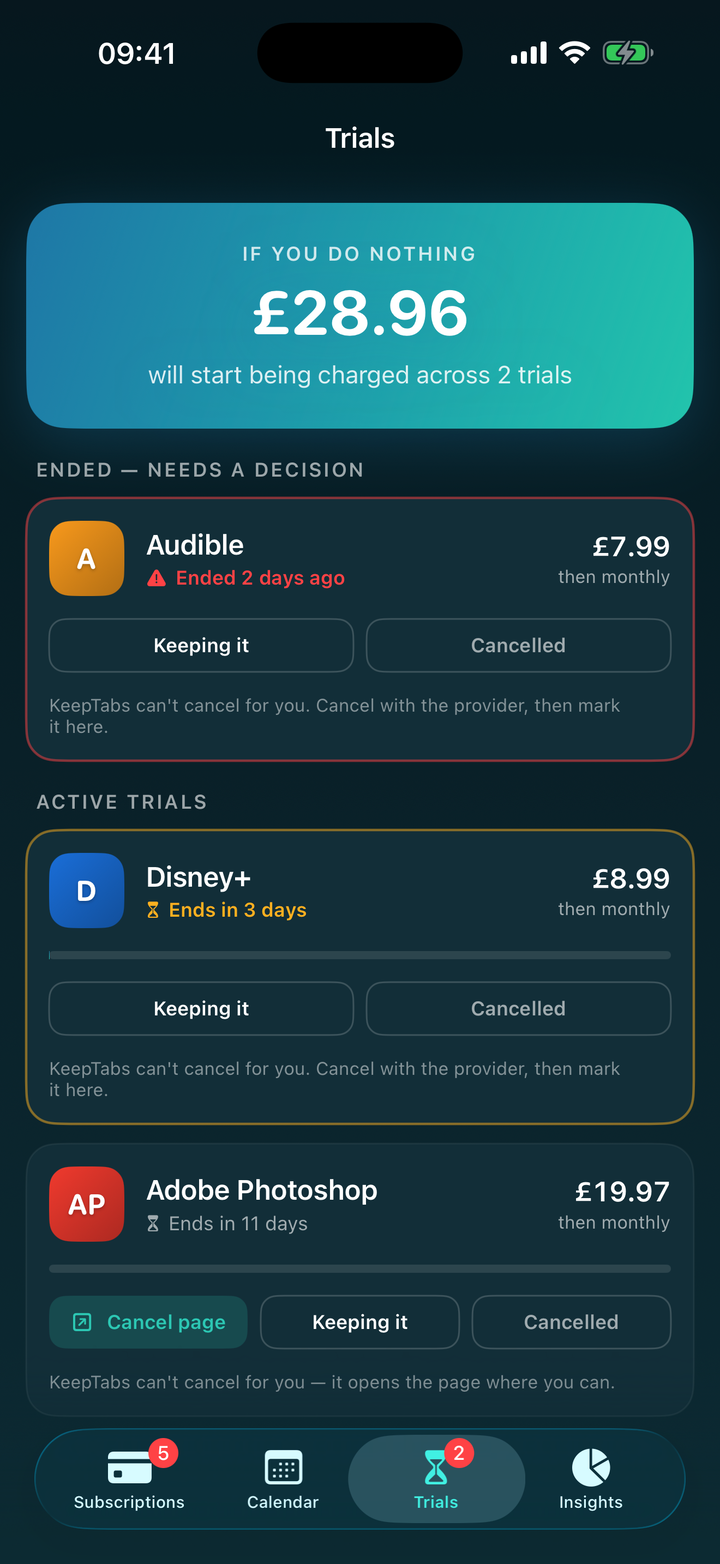
Free trials are where the money goes quietly. KeepTabs tracks when each one ends, warns you early and again on the day, and shows exactly what you'll be charged if you do nothing. It can't cancel for you — no app can — but it makes sure you know in time.
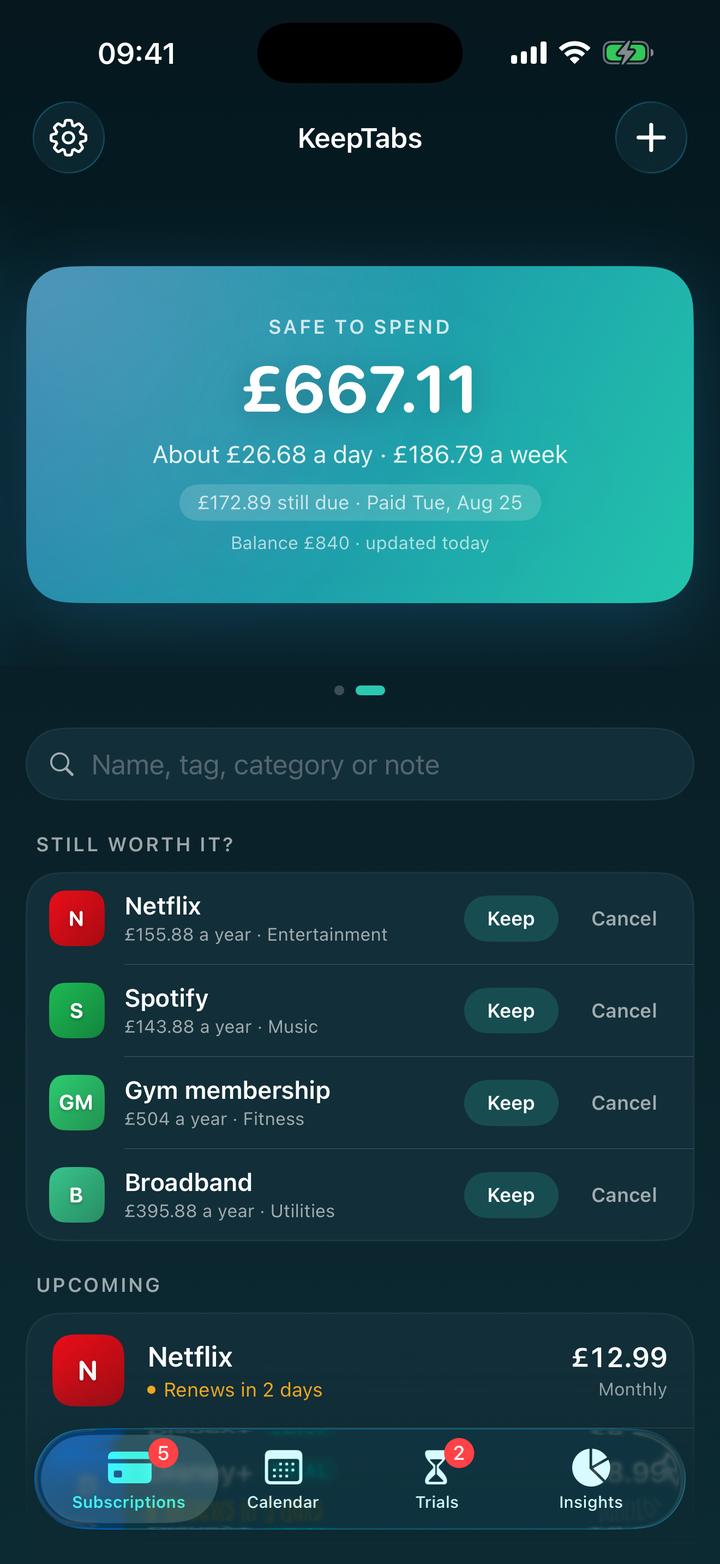
Type in what's actually in your account and KeepTabs works out what's safe to spend before your next payday, after everything still due comes out. Per day and per week, recalculating as the days pass — on the home screen, in a widget, and on your watch.
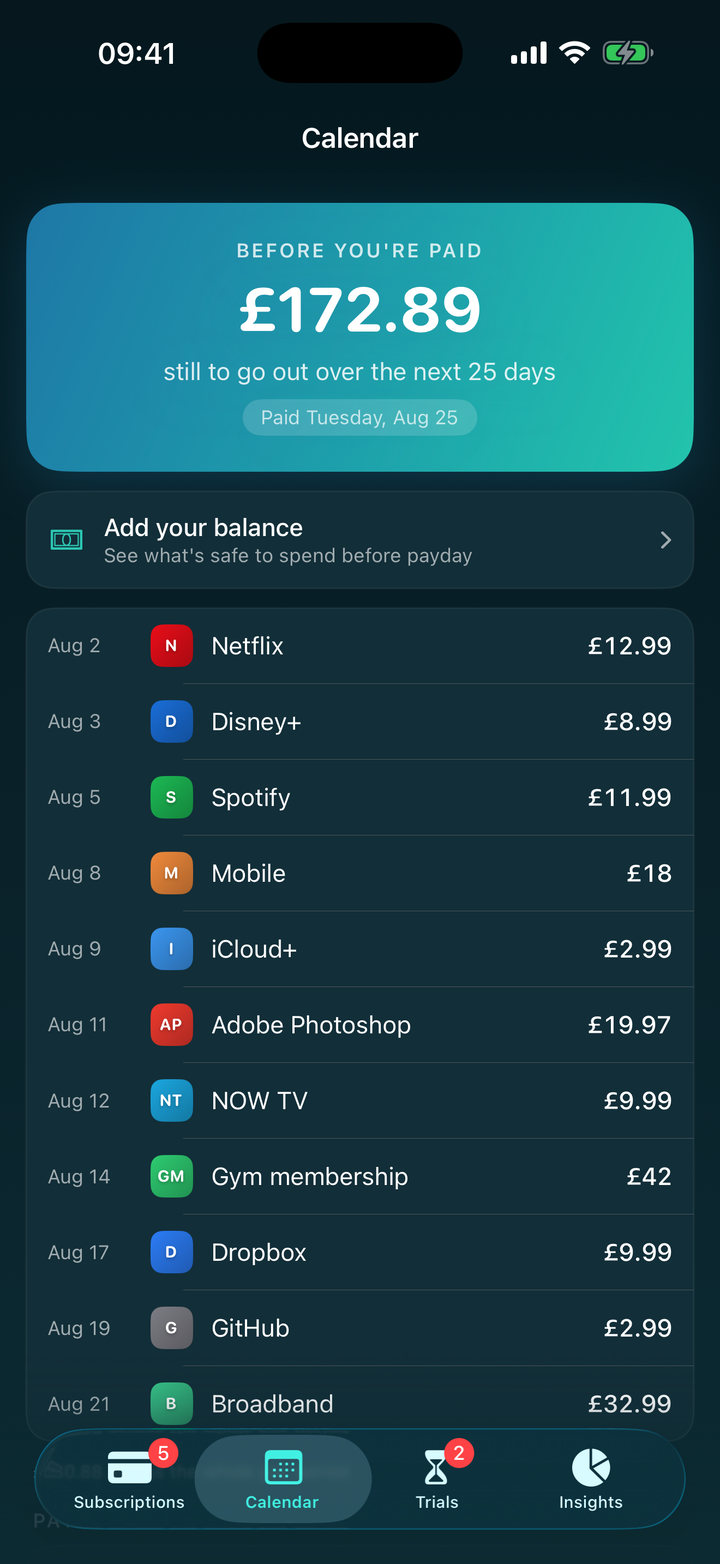
Tell KeepTabs when you're paid — weekly, four-weekly, monthly, or the last working day — and see exactly what's still due before your next payday. Because nobody actually budgets from the 1st to the 31st.
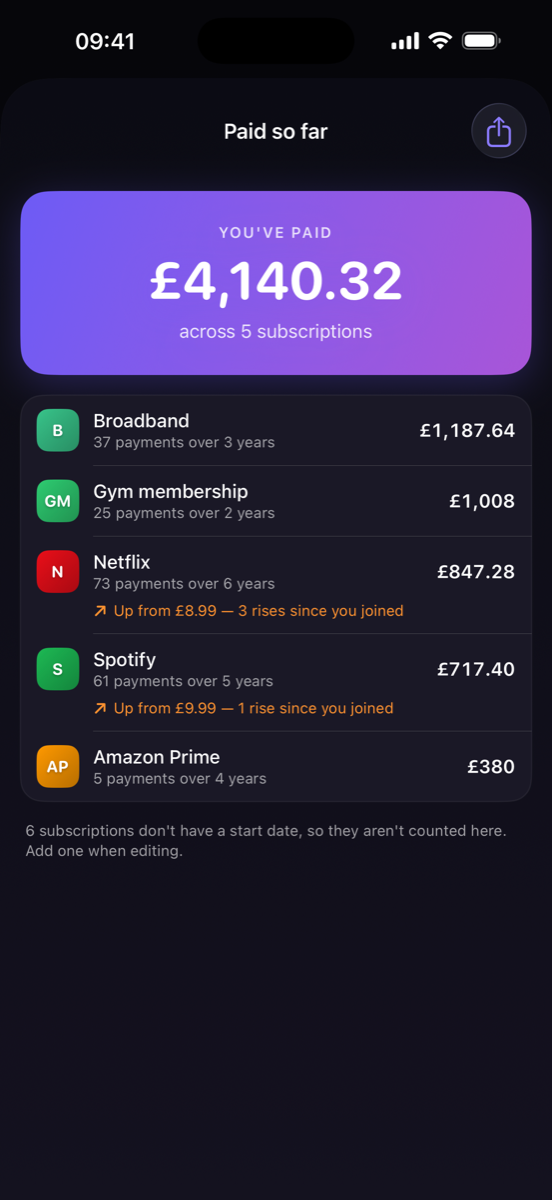
Add the date you signed up and KeepTabs totals everything you've paid since — at the price it was at the time. Record a price rise and it remembers: "up from £5.99, three rises since you joined." Most people have no idea.
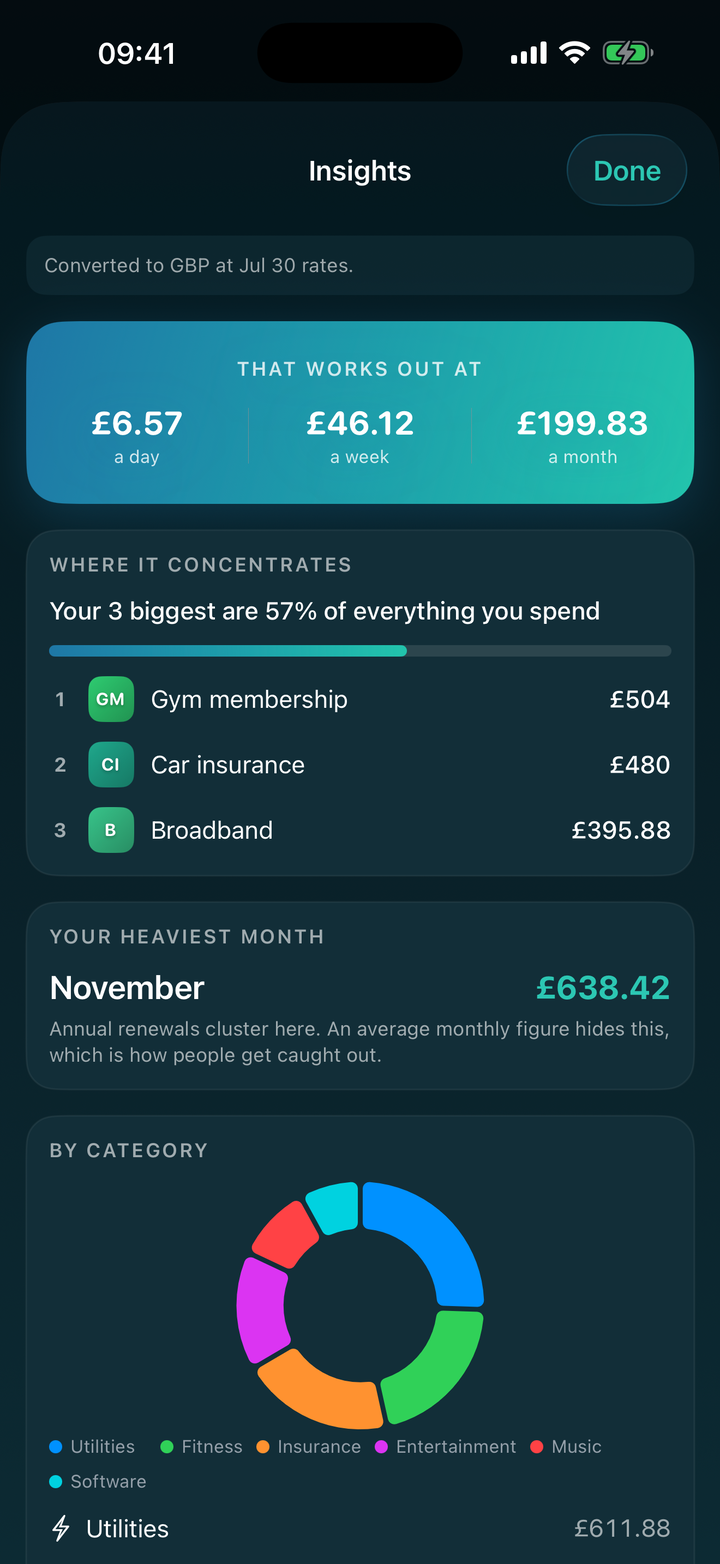
See where spending concentrates, the month that hurts most, and a twelve-month forecast that accounts for the price rises you've recorded. Spot two services quietly doing the same job.
No sign-up, no login, no email. Open the app and start. There's nothing to hack because there's nothing to log in to.
Everything lives on your device and syncs through your own iCloud. No analytics, no ads, no developer servers. We literally can't see it.
KeepTabs never asks for bank details or card numbers, and has no connection to your accounts. You're in control of every figure.
Your next payment, your total, or what's left before payday — on the Home Screen, the Lock Screen, your Apple Watch, or just by asking Siri.
Streaming, broadband, insurance, the gym, council tax — not just app subscriptions. Everything recurring, in one honest list.
Track subscriptions in any currency and see one converted total, using live exchange rates — no more mental maths on that US service.
Track up to five bills free, with everything that matters included. Go unlimited with Pro.
No — and no app can. Cancelling requires your account with the provider. KeepTabs makes sure you know in time and takes you to the right page, but you do the cancelling.
No. KeepTabs never asks for bank details or card numbers and has no connection to your accounts. You enter what you pay, and everything stays in your control.
On your device, and in your own private iCloud if you have sync enabled. There are no KeepTabs servers, so there's nothing for the developer to see or lose.
With iCloud sync on, your data restores automatically on a new device signed into the same Apple Account.
iPhone, running a recent version of iOS, plus an Apple Watch app and complication. KeepTabs is built natively, with widgets for the Home Screen, Lock Screen and StandBy, and Siri shortcuts.
One honest number, no account, no ads. Free for up to five bills.
Download on the App Store KeepTabs